HubSpot is one of the best-known CRMs in the world, so it is usually the first name that comes up when an HVAC owner starts looking for something better than a spreadsheet. It is also a reasonable choice for many businesses. The real question is not whether HubSpot is good. It is whether it fits the way an HVAC company actually runs, and how the cost behaves as you grow.
We build on custom code, GoHighLevel, and HubSpot, so we have no reason to push one over the others. This article lays out where HubSpot fits well, where a custom CRM fits better, and how to think about cost without getting lost in pricing pages.
What HubSpot does well
HubSpot is strong at the front of the customer journey. It tracks contacts and companies, records emails and calls, manages a sales pipeline, and reports on marketing and sales activity. It has a large ecosystem of integrations and a lot of learning material, which makes it easier to find help.
If your business is mostly quoting larger projects, running marketing campaigns, and following leads through a sales process, HubSpot can cover a lot of ground with less setup than a custom build. It also gives you a proven product that improves over time without you maintaining it.
Where HVAC work strains a sales-first CRM
HVAC is a service business with trucks, technicians, and parts. The core problems are dispatching, scheduling around real availability, tracking estimates through to jobs, invoicing from completed work, and keeping stock on the trucks. A sales pipeline is only one piece of that.
HubSpot can be configured with custom objects and workflows to approximate some of this, and some teams pair it with a dedicated field-service tool. That can work, but it often means two or three systems that need to stay in sync. When they drift apart, the office ends up double-entering jobs, which is the exact problem you were trying to remove.
How a custom HVAC CRM is different
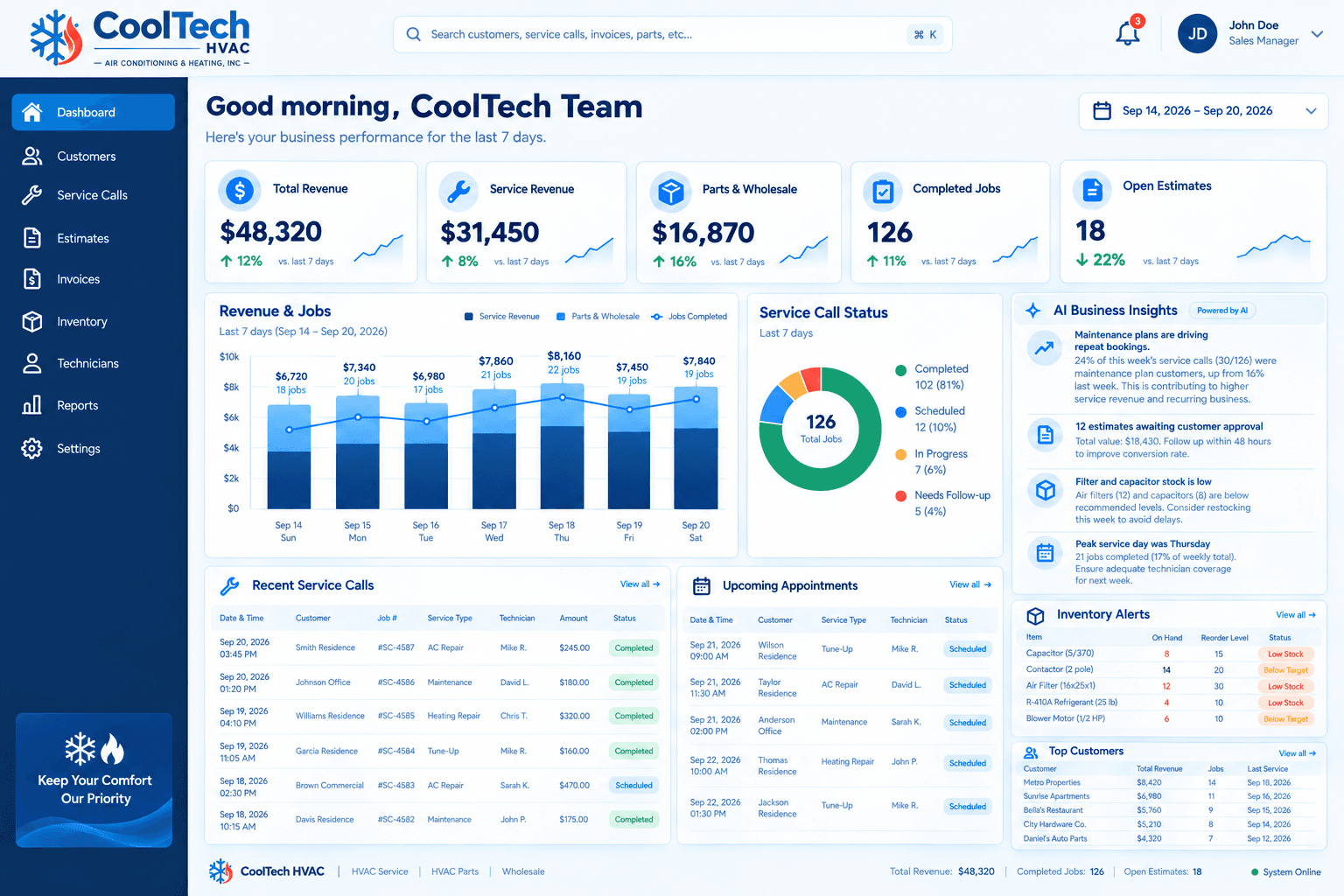
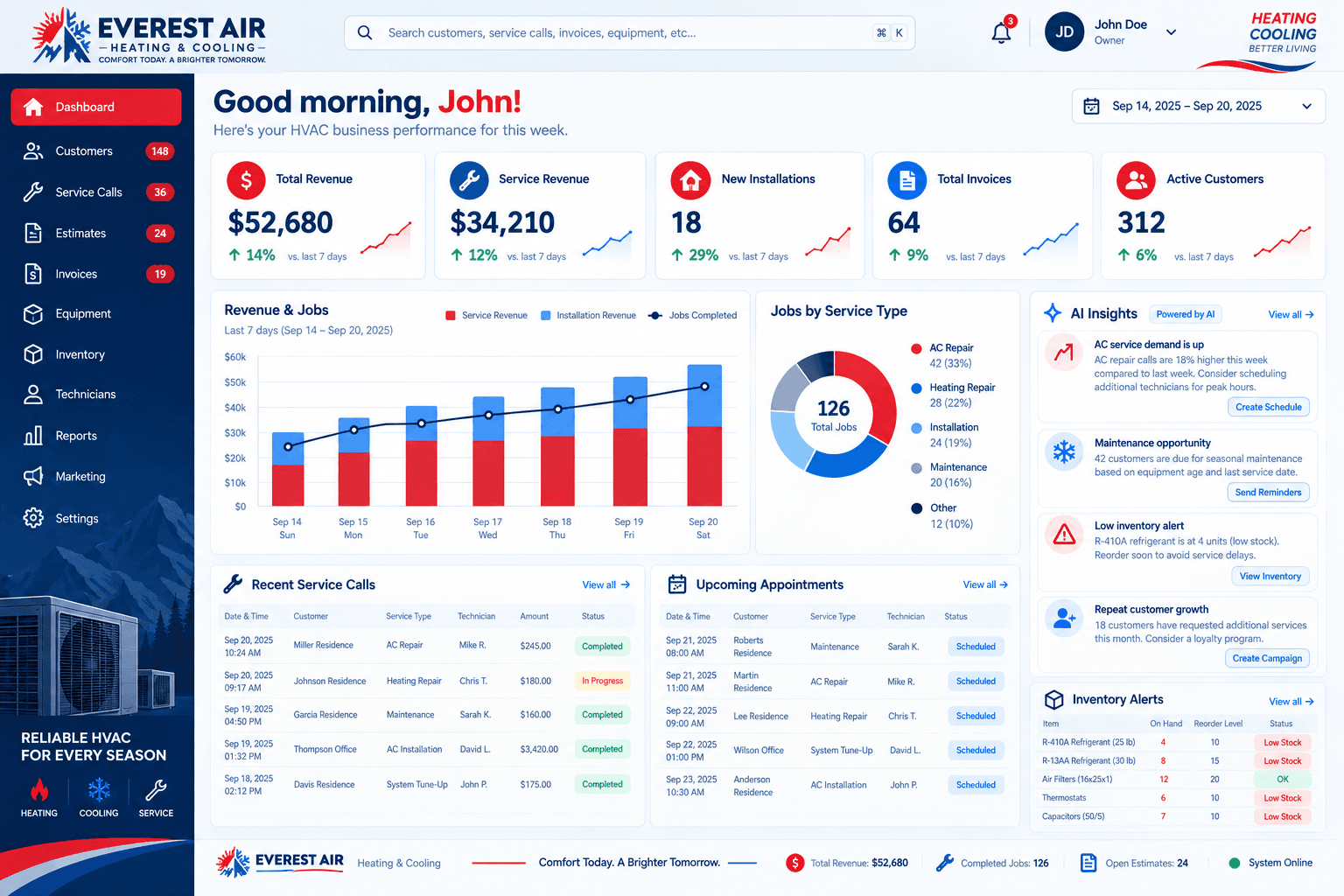
A custom CRM starts from your workflow instead of a product's data model. Service calls, technicians, estimates, invoices, and parts stock are first-class parts of the system rather than add-ons. The dispatcher sees who is free, the office sees which estimates are open, and the owner sees revenue split between service and installs on a single screen.
The tradeoff is that you are relying on a build partner rather than a mass-market product. That is why it matters who builds it, how the handoff works, and how changes are handled after launch. You can see the shape of a connected HVAC dashboard in our sample projects for CoolTech HVAC and Everest Air. Both use illustrative data, not real client results.
How the cost typically behaves
Comparing cost is harder than it looks, because the two options grow in different ways. Instead of quoting numbers, here is how each tends to behave.
HubSpot
- Pricing is typically organized by product tier and by the number of paid users, so cost often rises when you add office staff or move to a higher tier for more automation.
- Some capabilities you might expect, such as advanced workflows or reporting, sit in higher tiers.
- Extra costs can appear for onboarding, connecting other tools, or adding a separate scheduling or invoicing product.
Custom CRM
- A custom CRM from WhatNotDev is billed as a fixed monthly subscription, with the exact amount agreed on your discovery call based on scope.
- The amount is tied to what is being built, such as the number of integrations, custom features, and data to migrate, rather than to how many people log in.
- Because scope drives the price, a clear discovery conversation up front matters more than a pricing page.
Whichever way you go, ask every vendor what is included, what costs extra, and what happens to your data if you leave. The cheapest option on paper is not always the cheapest once you count add-ons and the time your team spends working around gaps.
Questions to ask before you commit either way
- Can you show my real workflow, from first call to final payment, instead of a generic demo?
- Which parts of dispatch, estimates, invoicing, and inventory work out of the box, and which need extra tools or custom work?
- What is included in the price, and what costs extra as my team grows?
- How do my customers, jobs, and history get in, and how do they get out if I leave?
- Who supports the system after launch, and how are changes handled when my process changes?
- How long until my office is actually using it every day?
The answers matter more than any feature list. A vendor who can walk through your workflow with confidence, and who is honest about what will not fit, is usually the better partner regardless of platform.
What switching looks like
Moving between systems is easier than most owners fear when it is planned. Customers, equipment notes, and job history are usually exported from the old tool, cleaned up, and imported into the new one. The harder part is habits: the office has to agree on the new statuses, and technicians have to record what they used on each job.
Plan a short overlap where both systems are visible, then set a firm cutover date so the new system becomes the source of truth. The same approach applies whether you are leaving spreadsheets, moving from another CRM, or connecting HubSpot to a custom dashboard.
A simple way to decide
- Write down how one job moves from first call to final payment today.
- Mark every step that currently happens outside your main system.
- If most of those steps are sales and marketing, HubSpot may be enough.
- If most of them are scheduling, dispatch, invoicing, or inventory, a custom build is worth pricing.
- If your biggest problem is fast lead follow-up and automated reminders, GoHighLevel deserves a look too.
For a wider comparison that includes GoHighLevel, read how to choose between a custom CRM, GoHighLevel, and HubSpot.
When HubSpot is the better call
Be honest about your situation. If you have a small team, a mostly sales-driven pipeline, and no unusual scheduling or inventory needs, HubSpot is often the faster and simpler path. There is no prize for building something custom when a standard product already fits.
If you are not sure which side you fall on, that is what a discovery call is for. Tell us how your company runs and we will recommend the platform that fits, even when that is not a custom build. You can also read our overview of HVAC CRM software for more on what we build.