In many HVAC offices, one job lives in three or four places. The call is in a phone log, the estimate is in a document, the schedule is in a calendar, and the invoice is in accounting software. Nobody planned it that way. It happened one tool at a time.
The cost is not dramatic on any single day. It shows up as an estimate that never got a follow-up, a completed job that was never invoiced, or a customer who had to repeat their story to three different people. Bringing service calls, estimates, and invoices into one dashboard fixes the root cause. This guide explains how to think about it.
Why one dashboard beats several tools
The value of a single view is not the pretty charts. It is that every record points to the same customer and the same job. When the estimate turns into a scheduled visit, and the visit turns into an invoice, nobody retypes anything. That removes both the extra work and the mistakes that come with it.
- Fewer dropped follow-ups, because open estimates are visible in one list.
- Fewer unbilled jobs, because completed work without an invoice stands out.
- Faster calls, because the person answering can see history without hunting for it.
- Better decisions, because revenue and job counts come from the same source.
The three record types to connect
Service calls
A service call is the request: who called, what is wrong, how urgent it is, and which equipment is involved. Record the source of each call, whether it came from a phone call, a web form, or a referral, so you can see what actually brings in work. Give every call a clear status, such as new, scheduled, in progress, completed, or needs follow-up.
Estimates
An estimate is a promise waiting for an answer. It should be linked to the service call it came from, show what was quoted, and have a clear status: sent, viewed, approved, declined, or expired. The most useful field is the next action date, so the system can remind someone to follow up instead of relying on memory.
Invoices
An invoice should be created from the completed job so labor, parts, and notes carry over. Track whether it is draft, sent, partly paid, or paid. Then a single filter answers the question every owner asks: what work have we finished that we have not been paid for yet?
What a good dashboard shows
A dashboard is only useful if the team looks at it. Keep it focused on the questions people ask every day.
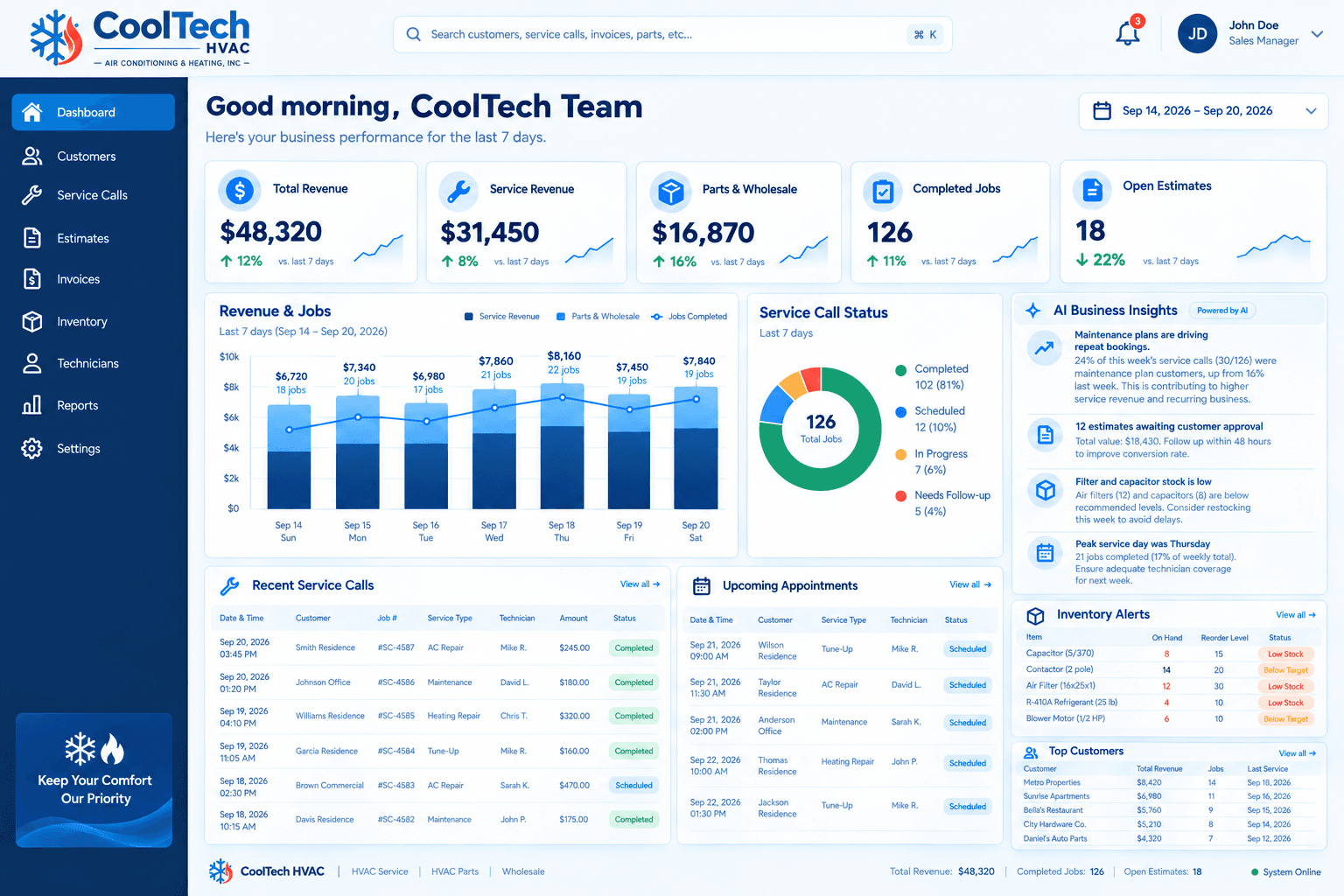
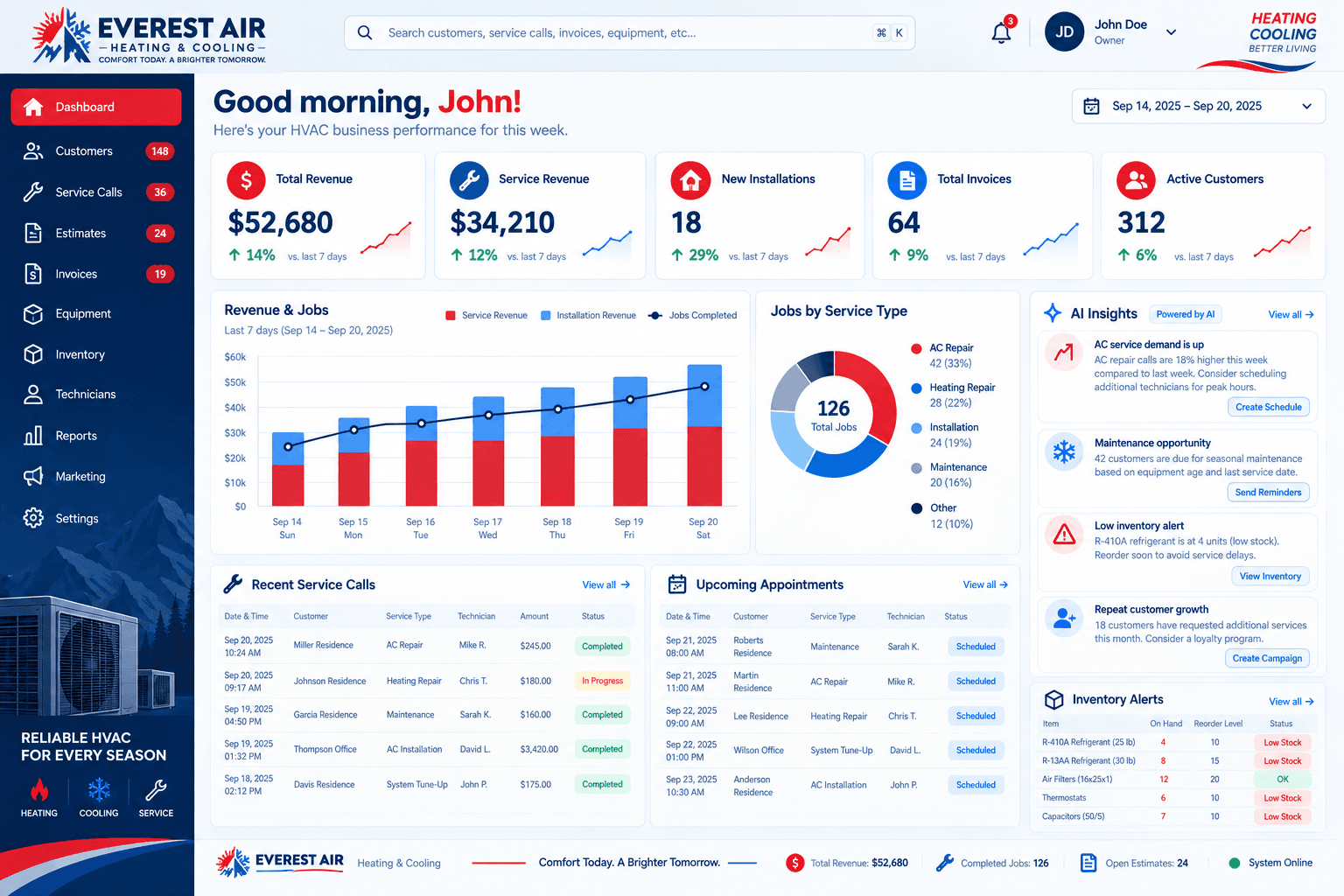
- Service call status at a glance: how many are new, scheduled, in progress, completed, and waiting on a follow-up.
- Open estimates and how long each has been waiting, with the oldest at the top.
- Upcoming appointments by technician, so dispatch can see the day and the week.
- Unpaid and unbilled work, separated so you know which problem you have.
- Revenue by type, such as service, installs, and parts, so you can see where money comes from.
Our sample projects for CoolTech HVAC and Everest Air show what this can look like on one screen. They use illustrative data and are not real client results.
How to set it up step by step
- Map your current flow. Write down each step from first call to final payment and note where information gets retyped.
- Pick the statuses. Keep them few and clear. Every extra status is another thing someone has to update.
- Decide who owns each step. Dispatch owns scheduling, the office owns estimates and invoices, technicians own job notes.
- Connect your accounting and payment tools so invoices and payments sync without manual entry.
- Import your existing customers and open jobs so the team starts with real data instead of an empty screen.
- Train the office first. If dispatchers and office staff use it daily, the rest of the company follows.
Automations that pay for themselves
Once the records are connected, a few simple automations remove the tasks that get forgotten.
- A reminder when an estimate has been open for a set number of days.
- A text or email confirming the appointment and the technician's arrival window.
- A review request after a completed job.
- An alert when a completed job has no invoice after a day or two.
- A maintenance reminder when a plan visit is coming due.
What to measure once it is running
After a few weeks of clean data, a handful of simple measures show whether the dashboard is helping. You do not need a complicated report to see them.
- Time from a new service call to a scheduled visit, which shows how quickly demand turns into work.
- How long open estimates wait for a follow-up, and how many are approved after one.
- Days between a completed job and its invoice, which reveals billing delays.
- The share of completed jobs with parts recorded, which tells you whether inventory data can be trusted.
- Repeat customers and maintenance plan renewals, which show whether your follow-up automations are working.
A realistic first month
In the first week, the goal is simply that every new call and job goes into the system. In the second and third weeks, the office starts working from the dashboard instead of side spreadsheets, and you adjust any statuses that turn out to be confusing.
By the end of the month, estimates are being followed up on a schedule, invoices are created from completed jobs, and the team has stopped asking where information lives. Expect a few rough edges, and treat early feedback from dispatchers and office staff as the most valuable input you will get.
Common mistakes to avoid
- Building the dashboard before the process. Fix how the work flows first, then show it.
- Tracking too many fields. If technicians must fill in twenty items per job, they will skip them.
- Leaving old tools running in parallel. Set a cutover date so the new system becomes the source of truth.
- Ignoring the office team. They are the daily users, so their feedback should shape the setup.
Choosing where to build it
You can assemble this in a mainstream CRM, in a platform such as GoHighLevel, or as a custom build. The right choice depends on how much of your workflow is standard and how much is specific to you. Our guide to what an HVAC CRM is and which features matter covers the feature side, and our HVAC CRM page explains how we approach it.
If you would like to talk through your own setup, book a discovery call. We will look at how jobs move through your company and recommend the simplest system that covers it.